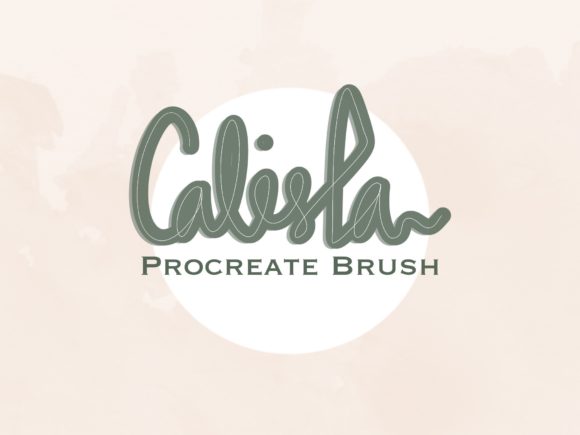
Calista Procreate Shadow Brush: A Practical Evaluation for Digital Lettering
Digital illustration and hand-lettering have evolved significantly with the advent of powerful tablet applications like Procreate. For artists and designers, efficiency is often just as important as aesthetic quality. This is where specialized tools, such as the Calista Procreate Shadow Brush, enter the workflow. Designed specifically for the iPad environment, this custom brush set aims to streamline the process of adding depth and dimension to lettering designs. Understanding whether this tool aligns with your creative needs requires a look beyond marketing claims and an examination of its practical application, installation process, and suitability for various design scenarios.
Understanding the Tool and Its Purpose
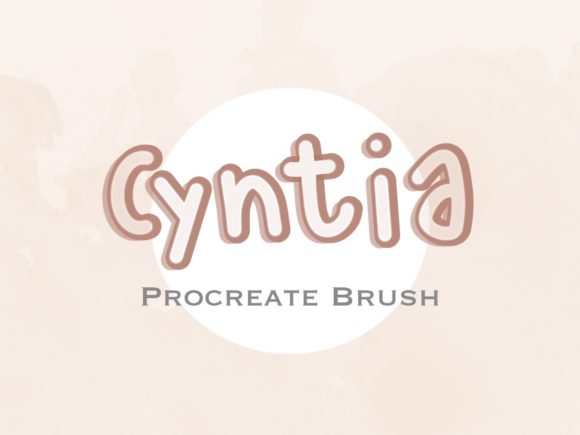
The Calista Procreate Shadow Brush is a digital asset distributed as a .brushset file. Unlike standard brushes that may require complex configuration, this tool is pre-configured to simulate shadow effects instantly. The primary function is to assist users in creating lettering designs with consistent, professional-looking shadows without the need for manual layer duplication, blurring, or offsetting techniques that are traditionally used in digital art software.
For those new to digital lettering, creating realistic or stylized shadows can be a time-consuming task. It often involves selecting the original text layer, duplicating it, changing the color, and manually adjusting the position to mimic a light source. The Calista brush simplifies this by allowing the user to paint the shadow directly, offering a more intuitive and immediate method for adding depth. This approach is particularly beneficial for artists who prioritize speed and fluidity in their sketching and drafting phases.
Installation and Technical Requirements
Before evaluating the artistic merits of the brush, it is essential to understand the technical prerequisites. The Calista Procreate Shadow Brush is exclusively compatible with the Procreate app on the iPad. It does not function on Android tablets, desktop versions of Photoshop, or other illustration software. This limitation is critical for users who work across multiple platforms or devices.
The installation process is straightforward but requires familiarity with the iPad’s file management system. Upon purchase, users receive a digital download containing the .brushset file. To install it:
- Download the file to your iPad, where it will typically appear in the Files app under the Downloads section.
- Locate the
.brushsetfile within the Files app. - Tap the file once. This action triggers Procreate to open and automatically import the brush into your library.
This seamless integration is a significant advantage for iPad users, as it eliminates the need for complex import procedures or third-party software. However, users must ensure they have sufficient storage space and an updated version of Procreate to avoid compatibility issues.
Benefits and Practical Applications
The primary benefit of the Calista Procreate Shadow Brush is efficiency. For freelance designers, social media content creators, and hobbyists, reducing the time spent on repetitive tasks allows for greater focus on creativity and composition. The brush provides a consistent aesthetic, which is valuable for maintaining brand consistency across multiple pieces of content.
Furthermore, the brush offers a low barrier to entry for beginners. Artists who may struggle with the technical aspects of layer management and blending modes can achieve polished results quickly. This can boost confidence and encourage experimentation with different lettering styles. The "easy method" described in the product details suggests that the brush is designed to be forgiving, accommodating varying levels of pressure and stroke speed.
In situations where rapid prototyping is required, such as creating mockups for client presentations or generating quick social media graphics, this tool can be a strong fit. It allows for immediate visualization of how shadows will interact with the letterforms, facilitating faster decision-making during the design process.
Tradeoffs and Considerations
While the convenience of a preset shadow brush is appealing, there are tradeoffs to consider. Custom brushes, by nature, offer a standardized effect. This means that while the shadow may look good in many contexts, it may lack the nuanced control required for highly specific lighting scenarios. Professional illustrators who need precise control over shadow opacity, blur radius, and angle might find that a preset brush limits their ability to fine-tune the final output.
Additionally, relying heavily on automated tools can hinder the development of fundamental skills. Understanding how light and shadow work manually is crucial for advanced digital artistry. If a designer relies solely on the Calista brush, they may find themselves limited when working on projects that require custom shadow effects that the brush cannot replicate.
Another consideration is the digital-only nature of the product. As noted in the product details, no physical item is shipped. Users must be comfortable with digital downloads and managing files on their iPad. There is also a strict licensing agreement: users are prohibited from claiming the brush set as their own, copying, sharing, or reselling it. This is standard for digital assets but requires users to respect intellectual property rights.
When to Choose This Brush vs. Alternatives
Deciding whether to invest in the Calista Procreate Shadow Brush depends on your specific workflow and goals. It is a strong choice if:
- You primarily use Procreate on an iPad for lettering and typography.
- You value speed and efficiency over granular control.
- You are a beginner or intermediate user looking to simplify your workflow.
- You create content regularly and need a consistent shadow style.
However, alternatives may be worth considering if:
- You work across multiple platforms (e.g., desktop and tablet) and need cross-compatible tools.
- You require highly customized lighting effects that demand manual layer manipulation.
- You are an advanced user who prefers building shadows from scratch using standard brushes and blending modes.
- You are on a tight budget and prefer free, community-created brushes, though these may lack support and consistency.
Making an Informed Decision
The Calista Procreate Shadow Brush represents a practical solution for a specific segment of digital artists. It is not a magic wand that replaces skill, but rather a tool that enhances efficiency for those who already understand the basics of lettering. By automating the shadow creation process, it allows designers to focus on composition, color, and message.
Potential buyers should assess their current pain points. If you find yourself spending excessive time adjusting shadow layers or struggling to achieve consistent depth in your lettering, this brush could provide significant value. Conversely, if you enjoy the technical process of building effects manually or require absolute control over every pixel, you may find the preset nature of the brush restrictive.
Ultimately, the decision hinges on your workflow preferences. For many iPad-based designers, the convenience and ease of use offered by the Calista Procreate Shadow Brush make it a worthwhile addition to their digital toolkit. It serves as a reminder that in digital art, the right tools can bridge the gap between vision and execution, provided they are used with intention and understanding.