Understanding Sticker Templates: Compatibility, Usage, and Limitations
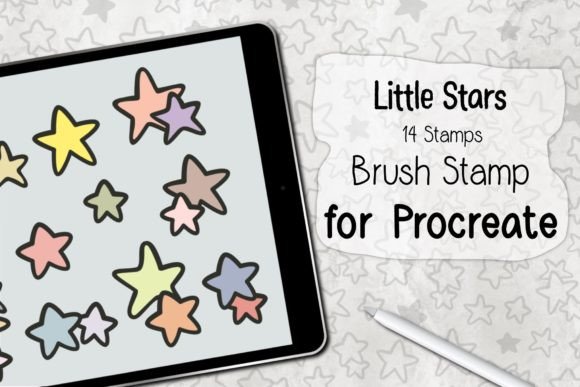
In the vibrant world of digital design and physical product creation, sticker templates have become an indispensable tool for creators, small business owners, and hobbyists alike. These pre-designed layouts provide a foundational structure that simplifies the process of creating custom stickers, ensuring that designs are print-ready and aesthetically pleasing. However, a critical aspect often overlooked by newcomers is the specific compatibility of these assets. It is essential to understand that sticker templates and brushes are not suitable for other programs and applications outside their intended ecosystem. This limitation is not merely a technicality but a fundamental characteristic of how these digital tools are constructed and licensed.
The Specific Nature of Digital Design Assets
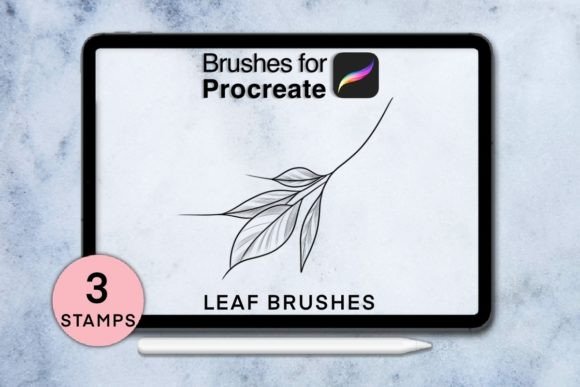
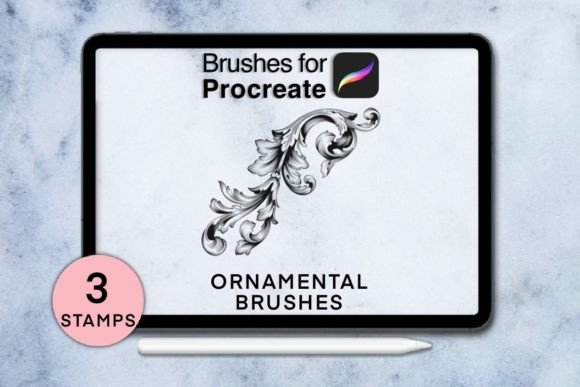
To appreciate why sticker templates are restricted to specific software, one must first understand their composition. Unlike universal image formats such as JPEG or PNG, which can be opened in virtually any image viewer or editor, sticker templates are often complex files containing layers, vector paths, smart objects, and proprietary data structures. For instance, a template designed for Adobe Illustrator relies on vector mathematics that a raster-based program like Microsoft Paint cannot interpret. Similarly, custom brushes used to add texture or artistic flair to sticker designs are coded specifically for the brush engine of a particular application, such as Procreate or Photoshop.
When users attempt to import these specialized files into incompatible software, the result is often a broken layout, missing elements, or a complete failure to open the file. This is because the receiving application lacks the necessary code to decode the proprietary information embedded within the template. Therefore, the statement that sticker templates and brushes are not suitable for other programs and applications serves as a crucial warning to prevent frustration and wasted time during the creative process.
Why Compatibility Matters in Professional Workflows
For professionals and serious creators, workflow efficiency is paramount. Using the correct tools for the job ensures that the final output meets high-quality standards. When a designer selects a sticker template, they are choosing a shortcut that assumes a specific technical environment. If that environment is not present, the value of the template diminishes significantly. Consider a scenario where a graphic designer purchases a bundle of watercolor brushes and die-cut sticker templates intended for Procreate on an iPad. If they attempt to use these assets in a web-based design tool like Canva, they will find that the brushes do not function as dynamic painting tools, and the templates may lose their editable layers, rendering them static and difficult to customize.
This mismatch highlights the importance of verifying software requirements before purchasing or downloading digital assets. Most reputable marketplaces clearly label which programs a template is compatible with, such as Adobe Photoshop, Illustrator, Affinity Designer, or Procreate. Ignoring these labels can lead to a disjointed workflow where the creator spends more time troubleshooting file errors than actually designing.
Real-World Scenarios and Practical Applications
Let us explore a few real-world examples to illustrate the practical implications of using sticker templates correctly versus incorrectly.
- The Small Business Owner: Sarah runs an online shop selling custom planner stickers. She purchases a comprehensive kit of monthly calendar templates designed for Adobe Illustrator. Because she is familiar with vector graphics, she can easily change colors, fonts, and sizes without losing quality. If she had tried to use these same files in a basic photo editor, she would not be able to scale the designs for different sticker sizes without pixelation, harming her product quality.
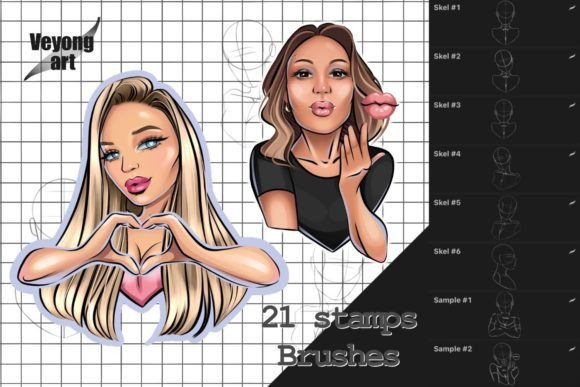
- The Digital Artist: James creates digital art stickers for social media. He uses Procreate on his tablet and buys a set of textured brushes and sticker outlines. These assets allow him to paint naturally with realistic paper textures. If he attempted to import these brushes into a standard word processing program, they would simply not exist as functional tools, forcing him to recreate the effects manually, which is time-consuming and less effective.
- The Hobbyist: Emily wants to make personalized stickers for her wedding favors. She finds a free template online but does not check the software requirement. She tries to open it in a free, lightweight image viewer. The file fails to load, causing confusion. After realizing the template requires a specific design suite, she either learns the new software or finds a template compatible with her existing tools, highlighting the learning curve associated with specialized assets.
These scenarios demonstrate that while sticker templates offer immense value, their utility is strictly bound by the software environment they were built for. The convenience they offer is contingent upon the user having the correct application to unlock their features.
Evaluating Suitability for Your Needs
Before integrating sticker templates into your creative projects, it is wise to evaluate your current technical setup and skill level. Ask yourself the following questions:
- What software do I currently own or know how to use? If you are proficient in Photoshop, look for PSD templates. If you prefer vector work, seek out AI or EPS files. Matching the asset to your skill set reduces the learning curve.
- What is the end goal of my project? For print-on-demand services, vector templates are often preferred because they can be scaled infinitely. For digital-only stickers, raster-based templates may suffice. Understanding the output format helps determine which type of template is suitable.
- Am I willing to learn new software? If a particular template bundle is only available for a program you do not use, consider whether the investment in learning that new program is worth it. Sometimes, it is more efficient to find an alternative template that works with your existing tools.
By carefully assessing these factors, you can avoid the pitfall of acquiring assets that are not suitable for other programs and applications you might wish they worked with. This proactive approach saves money and ensures a smoother creative experience.
Common Misconceptions About Digital Assets
A frequent misconception among beginners is that all digital design files are interchangeable. Many assume that because a file looks like an image on a preview screen, it can be edited in any program. This is far from the truth. Sticker templates are not just pictures; they are functional tools with embedded instructions for the software. Brushes, similarly, are not just shapes but algorithms that dictate how digital ink behaves on a virtual canvas.
Another misunderstanding is that converting a file format will preserve all its functionality. For example, saving a Photoshop file as a JPEG will flatten the layers, making it impossible to edit individual elements later. While the visual content remains, the template aspect is lost. Therefore, maintaining the native file format is crucial for preserving the editability and value of the asset.
Maximizing Value Through Proper Tool Selection
To get the most out of sticker templates, creators should invest time in mastering the specific software recommended for those assets. Tutorials, online courses, and community forums can provide valuable insights into how to best utilize these tools. For instance, learning how to manage layers in Photoshop or how to use clipping masks in Procreate can significantly enhance the quality of your sticker designs.
Moreover, staying updated with software versions is important. Sometimes, newer features in design applications allow for better integration with modern templates. Ensuring your software is up to date can prevent compatibility issues and unlock new creative possibilities.
In conclusion, sticker templates are powerful resources that streamline the design process and elevate the quality of custom stickers. However, their effectiveness is inherently tied to the specific programs they were designed for. Remembering that sticker templates and brushes are not suitable for other programs and applications is key to avoiding technical hurdles. By choosing the right tools for your needs, understanding the nature of digital assets, and respecting compatibility requirements, you can harness the full potential of these creative aids. Whether you are a seasoned professional or a curious beginner, aligning your software choices with your template selections will lead to a more enjoyable and productive design journey.