Unlocking Texture: A Deep Dive into the Papers O Plenty Brushset for Procreate
Digital art often suffers from a specific aesthetic trap: it looks too clean. The infinite undo button and the perfect symmetry tools are blessings, but they can also strip away the organic imperfections that make traditional media so compelling. This is where the Papers O Plenty Brushset for Procreate steps in, not just as a tool, but as a bridge between the tactile world of physical paper and the limitless flexibility of digital canvas. If you have ever felt your illustrations lacked depth or that "hand-made" soul, this collection offers a robust solution by embedding texture directly into your workflow.
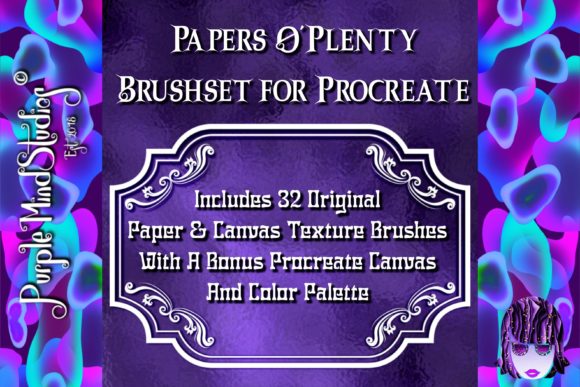
It is crucial to note upfront that these brushes are only compatible with the Procreate app. They are engineered specifically for the iPad’s touch interface and Procreate’s brush engine, meaning they will not function in Photoshop, Clip Studio Paint, or other desktop software. Furthermore, keep in mind that more brushes have been added since the cover image was created, so the value proposition has likely grown beyond what initial screenshots might suggest.
Beyond Simple Overlays: Integrating Texture into Workflow
Many artists rely on importing static JPEGs of paper textures and placing them over their finished work using blend modes like Multiply or Overlay. While effective, this method is rigid. The Papers O Plenty Brushset for Procreate changes the dynamic by allowing you to paint the texture itself. This distinction is vital for professionals who need non-destructive editing capabilities and granular control.
Consider the scenario of a concept artist working on environment designs. When sketching rough ideas for a dystopian city, the ability to switch instantly to a gritty, distressed paper texture allows the artist to convey age and decay without leaving the sketching phase. Instead of drawing clean lines and adding grunge later, the texture informs the stroke from the beginning. This leads to more organic, spontaneous results that feel less computed and more discovered.
The set includes unique Paper Canvas Texture brushes that mimic the tooth of various surfaces. For illustrators creating children’s books, this is invaluable. A soft watercolor paper texture can give digital paintings the warmth of traditional gouache or watercolor, making the final product feel approachable and nostalgic. By painting with these textures, you avoid the flat, plastic look that sometimes plagues digital coloring, adding a layer of sophistication that clients often associate with high-end traditional illustration.
The "Purptallic" Advantage: Metallic Textures in Digital Space
One of the most intriguing additions to this set is what the creator calls "Purptallic" canvas brushes. These are essentially metallic or iridescent texture brushes that add a shimmering, reflective quality to your work. In real-world applications, this opens up exciting possibilities for package design, album covers, and fashion illustration.
Imagine designing a label for a craft beer or a luxury cosmetic product. Typically, achieving a metallic foil effect requires complex layering, gradient maps, and careful highlight placement. With the Purptallic brushes, you can paint these effects directly. The texture interacts with light simulation in Procreate, giving the illusion of foil stamping or metallic ink. This saves hours of post-processing time and allows for rapid iteration during client presentations. You can test gold, silver, or copper finishes in seconds, adjusting opacity and flow to match the substrate you are simulating.
However, users should be aware that metallic effects on screen do not always translate perfectly to print without proper color profile management. While the brushes provide an excellent visual reference for digital portfolios and social media marketing, those preparing files for physical production should still consult with their printers regarding spot UV or foil stamping specifications. The brushes serve as a powerful visualization tool rather than a direct print-ready replacement for specialized printing techniques.
Mastering the Master Canvas: Education and Experimentation
A common frustration with purchasing digital assets is the lack of guidance on how to use them effectively. The Papers O Plenty Brushset for Procreate addresses this by including a master Procreate Canvas. This file is not just a blank slate; it is a curated learning environment containing sample layers, options for various combinations of blend modes, and tips on using the brushes in general.
For beginners, this master canvas acts as a sandbox. You can toggle visibility on different layers to see exactly how a specific paper texture interacts with a solid color versus a gradient. You can observe how changing the blend mode from Multiply to Screen alters the perception of the paper’s grain. This immediate feedback loop accelerates the learning process, allowing users to understand the mechanics of digital texturing without watching hours of tutorial videos.
Moreover, the inclusion of a ready-to-use Purptallic Canvas Texture layer provides a starting point for those who might feel overwhelmed by the sheer number of options. You can drop your artwork onto this canvas and immediately see how it elevates the piece. It encourages playfulness, inviting users to adjust settings and find their unique style rather than forcing a one-size-fits-all approach.
Dispersion Effects: Adding Motion and Depth
The set also features a group of layers with tips and examples of how to use the dispersion paper texture brushes. Dispersion effects—where elements appear to break apart into particles or dust—are popular in modern graphic design, particularly in music visuals and sports branding. Achieving this look manually is tedious and often requires advanced masking skills.
With these specialized brushes, creating a dispersion effect becomes intuitive. You can paint the disintegration directly onto your subject, controlling the density and direction of the particles. This is particularly useful for dynamic compositions where you want to imply movement or energy. For example, a portrait of a dancer could use dispersion brushes to suggest the blur of motion, adding a sense of speed and fluidity that static lines cannot capture.
This feature also benefits social media content creators who need eye-catching thumbnails. A bold, textured dispersion effect can make a title pop against a busy background, drawing the viewer’s eye instantly. The pre-configured layers in the master canvas demonstrate these techniques, showing you not just the "what" but the "how," bridging the gap between having a tool and knowing how to wield it.
Practical Considerations for Different Users
Before diving in, it is worth considering your specific needs. If you are a vector artist working primarily in Adobe Illustrator, this set will not be useful due to its Procreate-only compatibility. However, if you are a raster-based painter, comic artist, or designer who uses the iPad for sketching and finishing, this set integrates seamlessly.
Performance is another factor. High-resolution texture brushes can be resource-intensive. While Procreate handles large canvases well, using heavy texture brushes on extremely large files (such as poster-sized prints at 300 DPI) may require a newer iPad model for smooth performance. Users with older devices should test the brushes on smaller canvases first to ensure their hardware can handle the computational load of the texture algorithms.
Additionally, while the variety is extensive, personal taste plays a role. Some artists prefer ultra-subtle textures that barely register, while others want bold, aggressive grain. The Papers O Plenty Brushset for Procreate offers a range, but it is advisable to experiment with the opacity and size settings to tailor the intensity to your specific project. The included tips on blend modes are essential here, as they allow you to dial back the intensity of a strong texture without losing its character.
Ultimately, this brush set is about expanding your visual vocabulary. It provides the tools to break the sterility of digital art, offering a tactile richness that resonates with viewers. Whether you are designing a metallic logo, sketching a gritty urban scene, or painting a soft children’s illustration, these brushes provide the foundational texture needed to bring your digital creations to life.