Evaluating the 20 Procreate Peony Stamps Brush Set for Digital Artists
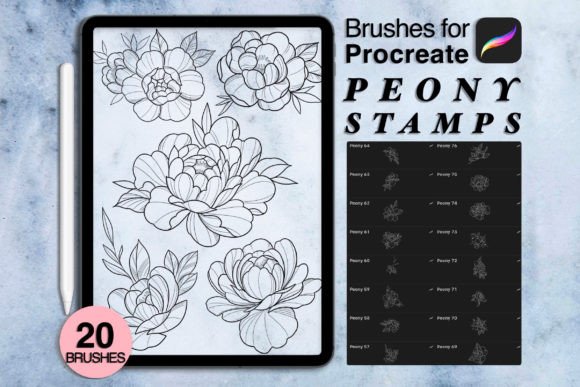
Digital illustration has evolved significantly with the advent of powerful tablet applications, allowing artists to create complex botanical designs with greater efficiency. Among the many tools available for Procreate, specialized brush sets have become essential for professionals and hobbyists alike who wish to streamline their workflow. The 20 Procreate Peony Stamps collection represents one such resource, designed specifically for users looking to incorporate detailed floral elements into their digital artwork without the time investment required to paint each petal manually.
This article provides an objective evaluation of this brush set, exploring its features, practical applications, and suitability for different types of digital artists. By understanding what is included and how these tools function within the Procreate ecosystem, potential users can make informed decisions about whether this asset aligns with their creative goals.
Understanding the Product and Delivery Method
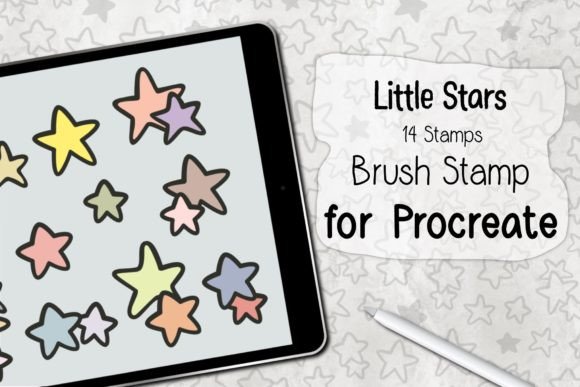
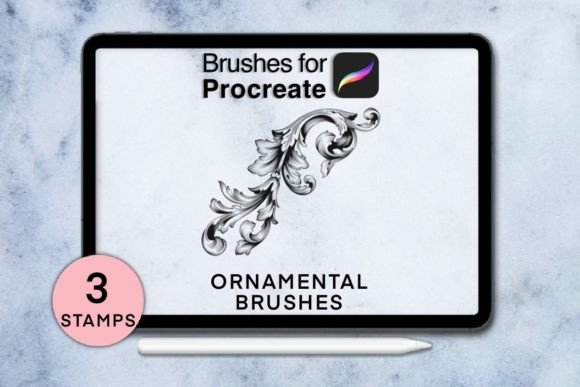
The core offering consists of twenty distinct stamp brushes tailored to replicate the appearance of peonies. These are not standard drawing brushes that rely solely on stroke dynamics; rather, they are stamp-based tools. This means that each tap or press of the Apple Pencil places a pre-designed element onto the canvas. The set is delivered as a digital download, specifically in a ZIP file format containing either .brushes or .swatches files. It is crucial for buyers to understand that this is a purely digital transaction. No physical items are shipped, and there is no waiting time for delivery. Once the purchase is complete, the files are available for immediate download.
To utilize these assets effectively, specific technical requirements must be met. The user needs an iPad Pro or a compatible iPad model paired with an Apple Pencil or another stylus that supports pressure sensitivity. Furthermore, the Procreate app must be updated to version 5.0 or higher. It is also important to note that any photos, fonts, or mockups seen in promotional materials are for presentation purposes only and are not included in the purchase. This distinction helps manage expectations regarding the final output and the resources needed to recreate marketing images.
Workflow Efficiency and Creative Benefits
The primary advantage of using the 20 Procreate Peony Stamps is time efficiency. Painting realistic peonies from scratch requires a deep understanding of anatomy, layering, and lighting. For commercial artists working on tight deadlines, such as those creating wedding invitations, greeting cards, or textile patterns, hand-painting every flower can be prohibitively time-consuming. Stamp brushes allow for rapid composition. An artist can place multiple blooms quickly, adjust their size and opacity, and then focus on blending and customizing the arrangement rather than constructing each flower from basic shapes.
Another benefit is consistency. When creating pattern designs or repetitive motifs, maintaining a uniform style across multiple elements is challenging when drawing freehand. These stamps provide a consistent aesthetic base, which can then be modified using Procreate’s adjustment tools. This makes the set particularly useful for surface pattern designers who need to fill large areas with cohesive floral imagery.
Considerations and Technical Limitations
While stamp brushes offer speed, they come with tradeoffs that artists should consider. The most significant limitation is the potential for repetitiveness. If used without modification, stamp brushes can result in artwork that looks generic or "clip-art" like. To achieve a professional and organic look, users must invest time in learning how to manipulate the stamps. This involves rotating, flipping, changing colors, and erasing parts of the stamp to integrate it seamlessly into the composition. Therefore, while the initial placement is fast, the refinement process still requires artistic skill.
Additionally, the reliance on pressure-sensitive hardware is a key consideration. Users with older iPads or non-pressure-sensitive styluses may find that the brushes do not respond as intended, limiting their ability to control the opacity or size variation dynamically. Ensuring that your hardware meets the specified requirements is essential for a satisfactory experience.
Ideal Use Cases for This Brush Set
This toolset is a strong fit for several specific scenarios. First, it is ideal for illustrators who specialize in botanical themes but need to increase their output volume. For example, an artist creating a series of nursery wall art can use these stamps to establish the main floral structures quickly, allowing more time to focus on background textures and color palettes.
Second, it is valuable for beginners who are intimidated by the complexity of painting flowers. The stamps serve as an educational tool, allowing new users to study the structure of peonies by observing the pre-made shapes. They can experiment with layering and color theory without the frustration of struggling with form and proportion simultaneously.
Third, graphic designers working on seasonal projects, such as spring or summer campaigns, can benefit from the instant availability of high-quality floral elements. The ability to download and start using the brushes immediately supports agile workflows where quick turnaround times are necessary.
When to Consider Alternatives
Despite its benefits, the 20 Procreate Peony Stamps set may not be suitable for everyone. Artists who prioritize hyper-realism or unique, one-of-a-kind illustrations may find stamp brushes restrictive. For these creators, custom-built textured brushes or standard round brushes that allow for complete control over every stroke might be a better choice. The predefined nature of stamps limits the ability to create entirely unique petal shapes that deviate from the original design.
Furthermore, if an artist already possesses a comprehensive library of floral brushes, adding another peony-specific set may offer diminishing returns. It is advisable to review existing tools before purchasing to avoid redundancy. Additionally, those who prefer vector-based workflows might find that raster-based Procreate brushes do not integrate well with their preferred software, such as Adobe Illustrator, unless they are willing to convert raster images to vectors manually.
Making an Informed Decision
Choosing the right digital tools depends largely on your specific workflow and artistic style. If your goal is to speed up the creation of floral compositions while maintaining a soft, painterly aesthetic, this brush set offers a practical solution. The instant download feature ensures that you can begin integrating these tools into your projects immediately, without logistical delays.
However, success with these tools requires a willingness to engage in post-placement editing. Simply stamping flowers onto a canvas is rarely enough for high-end professional work. The value lies in using the stamps as a foundation upon which to build a unique piece of art. Artists should be prepared to spend time adjusting colors, blending edges, and arranging elements to avoid a repetitive look.
In conclusion, the 20 Procreate Peony Stamps set is a specialized tool that balances efficiency with artistic potential. It is best suited for digital artists who need to produce floral imagery regularly and are comfortable with the nuances of stamp-based workflows. By understanding both the capabilities and the limitations of these brushes, users can determine whether this asset will enhance their creative process and help them achieve their artistic objectives.